Why Clean Desk Still Matters in 2026
In the traditional office, a “Clean Desk” policy was simple: shred sensitive documents, lock them away, and don’t leave passwords where someone can see them.
In 2026, the idea still matters, but the “desk” has changed.
For many teams, the home office is now the default workspace. That shift means physical access can quickly turn into digital access. An unlocked screen, a shared device, or a laptop left in the wrong place can expose the same systems your business relies on every day.
Clean Desk 2.0 is not about keeping things tidy. It is about protecting the link between physical access and digital systems.
If someone can sit down at your workstation, they do not need advanced skills to cause damage. They only need a few unattended minutes and an open session.
Why an Unlocked Screen Is a Data Breach Risk
Most small business owners rely on multi-factor authentication as their main line of defense. It is a strong control, but it protects the login, not the session.
Once you sign in, your browser creates a session token so you stay logged in without repeated prompts.
Security experts explain that these tokens act like digital keys. If someone gains access to them, they can use your session without triggering authentication checks.
This is where physical access changes everything.
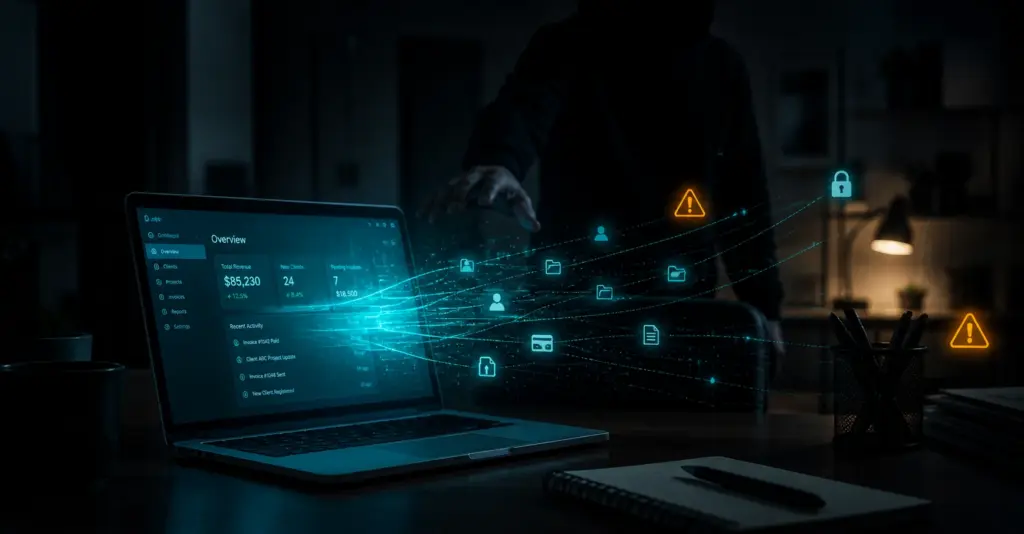
If someone sits at your workstation while you step away, they do not need to break in. They can use your active session to access cloud apps, customer data, and financial systems without seeing another login screen.
This is why screen locking must be automatic and consistent. Use short lock timers. Lock manually every time you step away. Treat an open session like a set of keys left in the door.
Hidden Risk from Outdated Devices
Many people keep older devices because they still work. But working does not mean secure.
Outdated devices create what is often called “legacy debt.” This shows up in home offices just as much as in data centers.
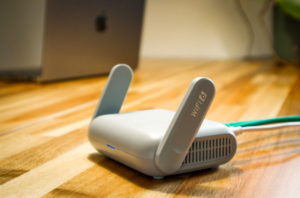
It often includes routers, VPN devices, and backup laptops that have not been updated in months.
The issue is end-of-support. When a device is no longer supported, it stops receiving security updates.
Guidance on obsolete technology is clear. The only effective way to reduce this risk is to stop using unsupported devices.
You cannot fix a system that no longer receives fixes.
This is especially important for internet-facing devices. These systems connect your home network to the outside world.
A Clean Desk 2.0 approach includes reviewing these devices regularly:
- Identify what is internet-facing
- Confirm it is still supported
- Replace anything that cannot be updated
Automation Creates New Physical Risks
Workstations are no longer just where people work. They are also where automated processes run.
AI features can update records, send communications, schedule tasks, and move workflows forward with little input once started.
This changes the risk of an unattended device.
If an automated process is running and the session is open, the device becomes a live control panel.
Someone does not need technical skill to interfere. They can click, approve actions, change details, or redirect outcomes.
The answer is not to avoid automation. It is to set clear limits and controls.
Define in advance:
- What actions can run without supervision
- What requires approval
- What limits apply to spending or changes
- Which systems and data can be accessed
Operational Discipline Reduces Risk and Waste
A Clean Desk 2.0 mindset also improves how you manage systems.
It encourages clarity around what is in use and what is not.
Cloud waste is a common example. It includes unused servers, test systems left running, and storage that grows without oversight.
These issues do not stand out day to day. They build up over time.
The same habits that keep a physical workspace organized can reduce this risk.
Focus on visibility and ownership:
- Assign owners to systems and resources
- Review what is actively used
- Shut down non-production systems when not needed
These steps reduce costs and limit exposure. They also make systems easier to manage during an incident.
Build a Strong Clean Desk 2.0 Foundation
Securing a home office is not about being overly cautious. It is about treating it as part of your business environment.
In 2026, the home workspace is part of your security perimeter.
Clean Desk 2.0 is a set of consistent habits. Lock screens. Use supported devices. Secure access points.
When these basics are in place, small mistakes are less likely to turn into larger problems.
If you want to turn these habits into a clear and enforceable standard for your team, a structured approach can help you apply them consistently across your business. Schedule a time to meet with our team today to review your approach.