
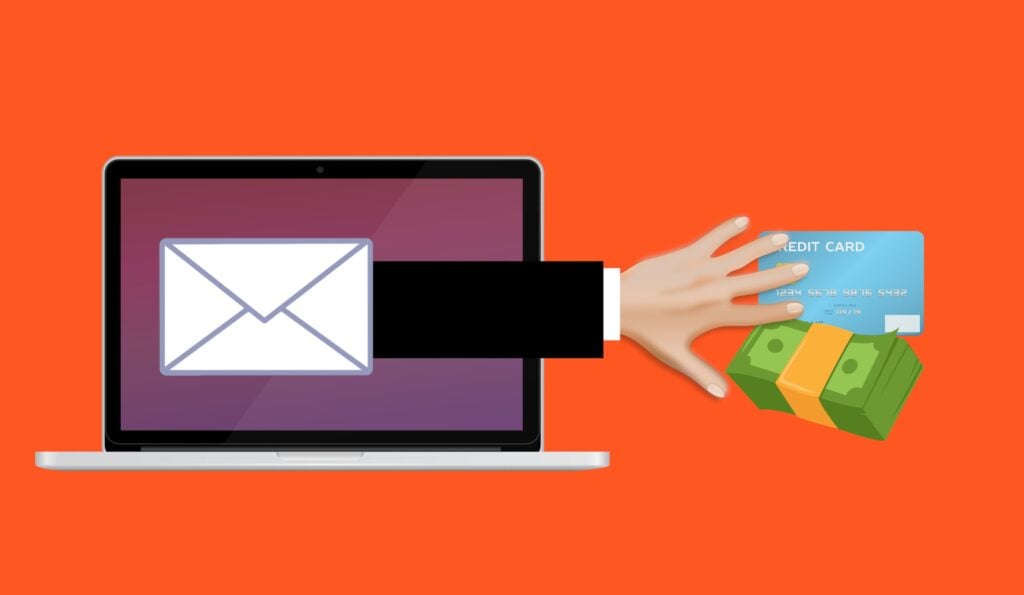
For years, people learned one simple way to spot a scam email: look for bad spelling and poor grammar.
The advice made sense. Many scam messages used odd phrases, weak grammar, and clear typing errors. A polished email seemed more likely to come from a real bank, supplier, or coworker.
That rule no longer works. Scammers now use artificial intelligence to write clean and natural messages. AI can also copy a certain tone and add real details about your business.
A phishing email may name the right employee, mention a real project, and sound like a supplier your team knows. The writing may be perfect. The request is where the danger now appears.
Your team must learn a new rule: judge a message by what it asks you to do, not by how well it is written.
Why Bad Spelling Is No Longer a Reliable Warning Sign
The old spelling rule worked because many scammers wrote in a language they did not know well. Their mistakes helped people spot the fraud.
Generative AI removes that barrier. It can write a clear business email in seconds. It can fix grammar, choose a polite tone, and make the message sound natural.
The UK National Cyber Security Centre warns that generative AI can create convincing phishing messages without the translation, spelling, and grammar mistakes that once exposed them.
The FBI has issued a similar warning. It says criminals use AI to reduce the language errors that used to make scams easier to spot.
This means perfect spelling proves very little. A real company may write a polished email, but so can a criminal.
Staff who rely on writing quality may trust the exact message they should question. Security training must now focus on the action a message requests.
Why AI Phishing Emails Look So Real
AI Produces Clean Business Writing
An attacker can ask an AI tool to create a short note in a calm and professional tone. The tool can make the request sound routine instead of suspicious.
The email does not need strange phrases or obvious mistakes. It may read like a normal message from a manager, client, bank, or supplier.
The attacker can also change the tone in seconds. A request can sound formal, friendly, brief, or urgent based on the person being copied.
Public Details Make the Message Personal
Attackers can collect information from your website, LinkedIn profiles, news releases, and other public sources. They can then give those details to an AI tool.
The result may include real employee names, correct job titles, or a project your company has announced. These details help the message feel familiar.
For example, someone in finance may receive what looks like a supplier email. It may name a real project and ask the employee to update the bank details for the next invoice.
The supplier did not send it. Yet the message sounds right because the attacker used real facts to build the story.
Attackers Can Create More Messages
AI makes each phishing email faster to produce. An attacker can create many polished versions without spending time writing each one by hand.
The FBI’s Internet Crime Complaint Center added an AI section to its annual report for the first time. The section was linked to more than 22,000 complaints and almost $893 million in reported losses.
More messages create more chances for someone to act. A single employee who trusts one false request may be enough to cause a loss.
Why Spam Filters Cannot Catch Every AI Phishing Email
Email security remains important. A strong spam filter can block many harmful links, attachments, and known senders.
Still, no filter catches every scam. A short, well-written email may not contain a harmful file or an obvious bad link. It may simply ask an employee to reply, send information, or change a payment.
That type of message can look like a normal business request. It may pass through a filter because the words themselves are not harmful.
Both the NCSC and FBI expect AI to help more convincing messages reach people. That makes your staff the final line of defense.
This does not mean you should turn off email security. Keep it active and updated. Pair it with clear rules for checking sensitive requests.
AI Scams Also Use Phone Calls and Text Messages
The risk is not limited to email. Criminals can also use AI to improve text messages and create cloned voices.
The FBI warns that a short audio clip may give a criminal enough material to copy someone’s voice. The result could be a voicemail that sounds like a manager or family member asking for an urgent payment.
A familiar voice is not proof that the request is real. The same rule used for email should apply to calls and voice messages.
If someone asks for money, passwords, or login codes, end the call. Contact that person through a number you already know.
Do not call a number included in the suspicious message. It may connect you to the scammer.
AI Phishing Warning Signs That Still Work
You may no longer be able to judge a message by its spelling. You can still judge the request.
Slow down when a message does any of the following:
- Asks for money, gift cards, or payment to a new account.
- Requests a password, login, verification code, or personal details.
- Creates pressure with a deadline, threat, or urgent demand.
- Asks you to change a supplier’s bank details.
- Includes a link or attachment you did not expect.
- Uses a familiar display name but a different email address.
Each warning sign relates to what the sender wants you to do. None depends on poor writing.
The main rule is simple. When a message involves money, logins, or payment details, pause before you act.
How to Check a Suspicious Request
Use a Separate Contact Method
If an email asks you to send money or change bank details, call the person or business on a number you already have.
Do not reply to the email to ask whether it is real. If an attacker controls the email account, the attacker can confirm the false request.
Do not use a phone number supplied in the message. Find the number in your own contact list, an approved supplier record, or another trusted source.
Look at the Full Email Address
A display name can look correct while the real address is wrong. Expand the sender details and check the full address.
Look for changed letters, extra words, or an unexpected domain. Keep in mind that a correct address does not always prove a message is safe. An attacker may have taken over the real account.
If the request involves money or access, verify it through another channel even when the address looks right.
Question Sudden Pressure
Urgency can make people skip normal checks. A scammer may claim that an invoice is late, an account will close, or a manager needs a payment at once.
A real emergency does not remove the need to confirm the request. A short phone call can prevent a much longer recovery.
How to Protect Your Team From AI Phishing
Change What You Teach
Stop making bad spelling the main lesson in phishing training. It may still appear in some scams, but its absence does not make a message safe.
Teach staff to focus on the request. Money, login details, verification codes, and new payment instructions should always trigger a pause.
Use examples that sound polished and believable. Staff need to see that a professional tone can still hide fraud.
Create One Rule for Bank Detail Changes
Require staff to confirm every change to bank details by phone. The rule should apply even when the email looks real or the request feels urgent.
Use a trusted number already held by the business. Do not use contact details supplied in the change request.
A clear rule removes guesswork. The employee does not need to decide whether the writing sounds suspicious. The phone check happens every time.
Verify Money and Login Requests
Use a second channel to confirm any request for payment, passwords, or verification codes.
A manager who sends a real urgent request should understand the need for a quick check. Staff should never feel that security rules must be skipped to avoid slowing someone down.
Use Phishing-Resistant Sign-In Methods
Turn on phishing-resistant multi-factor authentication or passkeys. These controls make a stolen password harder to use.
This matters because even careful people can be fooled by a polished and personal email. A stronger sign-in method adds protection when someone enters a password on the wrong page.
Make Suspicious Emails Easy to Report
Give staff a clear way to report a message. Make sure they know who will review it and what to do while they wait.
Do not make anyone feel foolish for checking. A healthy reporting culture catches more threats because people speak up early.
It is better to review a real message than to miss a false one that changes a payment account.
Use Short and Regular Reminders
Remind your team that scam emails can now look perfect. A short five-minute talk can be more useful than a poster that fades into the background.
Focus each reminder on one action. You might review how to confirm bank changes, inspect a sender address, or report a suspicious message.
Regular practice helps staff remember the process when a convincing request arrives.
A Simple Rule for Small Businesses
Every business should create a clear check for high-risk messages.
If a message asks for money, a new payment account, a password, or a login code, staff should stop. They should verify the request through a trusted method before doing anything else.
This rule works whether the email contains obvious mistakes or perfect writing. It also works for text messages, phone calls, and cloned voice messages.
AI has changed how scams look. It has not changed the attacker’s goal. The attacker still needs someone to send money, reveal information, open a file, follow a link, or provide access.
Focus on that requested action. It is now a stronger warning sign than the quality of the writing.
Frequently Asked Questions
Can Bad Spelling Still Reveal a Phishing Email?
Sometimes, but not reliably. AI helps attackers produce clean and correct messages. Perfect spelling does not prove that an email is real.
Judge the message by what it asks you to do.
Which Phishing Warning Signs Still Work?
Watch for requests to send money, change bank details, share login information, provide a verification code, or act under sudden pressure.
Unexpected links and attachments also deserve care. Check the sender’s full email address, not just the display name.
Is AI-Generated Phishing More Effective?
The NCSC and FBI both warn that AI makes phishing more convincing and personal. AI removes many language errors and helps attackers tailor messages with public details.
The FBI has also linked AI-enabled crime to more than 22,000 complaints and almost $893 million in reported losses.
Will a Spam Filter Stop AI Phishing?
A spam filter can catch many threats, so keep it active. However, a polished and personal email with no clear bad link or attachment may still get through.
Email security should support trained staff and clear checks. It should not be the only defense.
What Should Staff Do When They Are Unsure?
Slow down and check the request through another trusted channel. Call a known number or speak to the person directly.
Report the message even if it later proves to be genuine. Checking is part of good security, not a mistake.
Help Your Team Adapt to AI Phishing
The old advice is no longer enough. Scammers can write emails that look clear, professional, and personal.
Teach staff to focus on requests for money, login details, verification codes, and payment changes. Confirm sensitive requests through a trusted channel. Use phishing-resistant sign-ins and make suspicious messages easy to report.
Your IT provider can help train your team and set up stronger login protection. Caldera Cybersecurity can also help you put these practical defenses in place.
Sources and Further Reading
- UK National Cyber Security Centre: The Near-Term Impact of AI on the Cyber Threat.
- FBI Internet Crime Complaint Center: Criminals Use Generative AI to Facilitate Financial Fraud.
Need help protecting your business from phishing emails? Contact our team to help walk you through best practices to secure your companies emails and help you team know the signs to spot phishing emails in the AI era.