
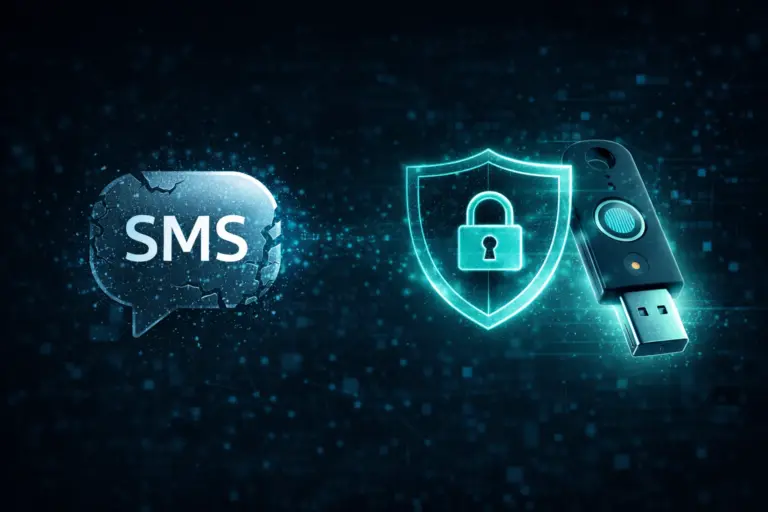
For years, Multi-Factor Authentication (MFA) has protected business accounts. It adds a second layer of security beyond a password. That extra step has stopped many attacks.
However, threats have changed.
Many companies still use text message codes (SMS) for MFA. It feels easy. It feels secure. But today, SMS-based MFA is no longer enough.
Attackers now bypass text codes every day. If your business handles sensitive data, you need stronger protection.
Let’s break down why SMS MFA fails—and what to use instead.
SMS was never built for security. It was built for simple messaging.
Text messages travel through cellular networks that have known weaknesses. One major flaw exists in the telecom protocol called SS7. Attackers can exploit this flaw to intercept text messages.
They don’t need your phone.
They don’t need your password.
They only need access to the carrier network.
That means your one-time passcode can be stolen before you even see it.
But interception is not the only risk.
SMS codes are also easy to phish.
If an employee enters their password and text code into a fake login page, the attacker captures everything in real time. Within seconds, the attacker logs into the real account.
The result? Full account compromise.
SIM swapping is one of the biggest threats to SMS authentication.
Here’s how it works:
An attacker calls your mobile carrier.
They pretend to be you.
They claim their phone was lost.
They ask the carrier to move your phone number to a new SIM card.
If the carrier approves the request, your phone loses service.
The attacker now receives:
Your calls
Your text messages
Your MFA codes
They can then reset passwords and take over your accounts.
This attack does not require advanced hacking skills. It relies on social engineering. That makes it both simple and dangerous.
To stop modern attacks, you must remove the weak link.
That weak link is shared secrets and one-time codes.
Phishing-resistant MFA uses cryptographic authentication. It ties login requests to a specific website domain. If the domain does not match, authentication fails.
Even if a user clicks a phishing link, the login cannot complete.
One leading standard is FIDO2 (Fast Identity Online 2).
FIDO2 uses:
Public key cryptography
Device-bound credentials
Domain validation
There are no text codes to steal. There is nothing to intercept.
This is why phishing-resistant MFA is now the gold standard.
Hardware security keys are small physical devices. They look like USB drives.
To log in:
Insert the key into your device.
Tap the button.
The key completes a secure cryptographic handshake.
There are no codes to type.
There is nothing to copy.
There is nothing to forward.
An attacker cannot steal your key over the internet.
Unless someone physically takes the device, your account stays secure.
For administrators and executives, hardware keys should be mandatory.
If hardware keys are not practical, mobile authenticator apps are the next best option.
Apps like:
Microsoft Authenticator
Google Authenticator
generate codes locally on the device.
These codes:
Do not travel through SMS networks
Cannot be intercepted through SIM swapping
Expire quickly
However, push notifications can create a new risk called MFA fatigue.
Attackers may send repeated login requests. A frustrated user may eventually tap “Approve.”
Modern apps now solve this with number matching. The user must enter a number shown on the login screen into the app. This confirms the user is physically present.
This small step stops many push-based attacks.
Passwords are failing.
Passkeys replace passwords entirely.
A passkey is:
Stored securely on your device
Protected by biometrics (Face ID or fingerprint)
Bound to a specific website
Passkeys are phishing-resistant by design.
Even if someone sends a fake login page, the device will not authenticate because the domain does not match.
Passkeys also reduce IT headaches:
No password resets
No password reuse
No stored password lists
They improve security and simplify the user experience at the same time.
SMS-based MFA gives a false sense of safety.
It may satisfy minimum compliance rules. But it does not stop modern attackers.
Today’s threats include:
SIM swapping
Real-time phishing kits
Telecom interception
MFA fatigue attacks
If your business relies on text codes, you are exposed.
Upgrading to phishing-resistant MFA offers one of the highest returns in cybersecurity.
The cost of hardware keys or passkey deployment is small compared to:
Incident response
Legal fees
Regulatory fines
Reputation damage
Strong authentication protects everything else.
Moving away from SMS requires planning.
Start with:
Mandating phishing-resistant MFA for privileged accounts first
Rolling out hardware keys or passkeys in phases
Educating employees about SIM swapping and phishing
Disabling SMS MFA wherever possible
When users understand the risk, they adapt quickly.
Security improves. Friction decreases.
Multi-Factor Authentication still matters.
But not all MFA methods are equal.
Text codes are outdated. Attackers know how to bypass them.
Phishing-resistant MFA—like FIDO2, hardware keys, authenticator apps with number matching, and passkeys—provides real protection.
If you want to protect your business, move beyond passwords and text codes.
At Caldera Cybersecurity, we help organizations deploy modern identity solutions that protect sensitive data without slowing down your team.
We design secure, user-friendly authentication strategies tailored to your business.
Let’s build authentication that attackers can’t bypass.
Contact us today to get started.