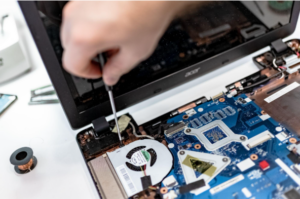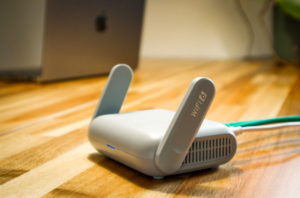

Does your IT budget cover more than computers, Microsoft 365, and the odd repair?
If not, you may be missing costs that keep your business running and secure.
Think about cloud storage, software, backups, cybersecurity, internet service, phones, staff training, and IT support. Some costs come each month. Others show up once a year or when something breaks.
Without a clear budget, a failed laptop or annual software renewal can become an unwelcome surprise.
A good IT budget helps you see what you spend today, what you need to replace, and what improvements you want to make.
How Much Should a Small Business Spend on IT?
There is no single number that works for every small business.
You may see advice to spend a set share of your revenue on technology. But that number may not reflect what your business needs.
A law firm with ten staff members may use very different systems from a store or a small factory. Each business has its own devices, software, security needs, and customer demands.
Start by looking at how much your business depends on each system.
If your internet goes down, can you still take payments? If your main computer fails, can your team keep working? Do you store private customer or financial records?
The answers help you decide where to spend. You can use industry spending figures for context, but your real needs should guide the budget.
Start With a Full List of Your Technology
You cannot plan your IT costs if you do not know what you own or pay for.
Make a list of your computers, phones, tablets, printers, servers, routers, software, cloud services, websites, domains, and backup systems.
For each item, record:
- What it is and who uses it
- Who provides or manages it
- What it costs
- How often you pay
- When the contract or license renews
- How important it is to daily work
The NIST Cybersecurity Framework 2.0 Small Business Quick Start Guide recommends keeping track of hardware, software, systems, and services. It also advises businesses to consider what would happen if a key system stopped working.
Check invoices, bank statements, company cards, and app store purchases. Staff may have signed up for software that never reached your main IT records.
This review may help you find unused licenses, duplicate services, old equipment, or subscriptions that no one needs.
Plan for Computers and Equipment
New computers cost more than the price on the box.
You may also need monitors, docking stations, keyboards, headsets, webcams, warranties, and delivery.
Then someone needs to set up the device. That work may include installing apps, adding security settings, creating accounts, moving files, and testing access.
Your budget should also cover other equipment, such as:
- Phones and tablets
- Printers and scanners
- Payment terminals
- Security cameras
- Routers, firewalls, and network switches
- Wi-Fi access points
- Battery backup units
Keep track of purchase dates, warranties, and expected replacement dates.
Replacing a few aging devices each year may be easier to manage than waiting until several fail at once.
Consider keeping a spare laptop ready for urgent use. Also include the cost of safely removing business data from old devices before they are sold, recycled, or discarded.
Include Every Software and Cloud Subscription
Monthly software bills can seem small on their own. Together, they may form a large part of your IT spending.
List every service your business uses, including:
- Microsoft 365 and other office software
- Accounting and customer management systems
- Industry-specific apps
- Cloud storage and backup services
- Password managers and security software
- Electronic signature tools
- Device management services
- Website hosting and domain names
Check whether each service bills monthly or yearly. Several annual renewals in the same month can put pressure on cash flow.
Review how many licenses you pay for. Remove unused accounts and licenses held by former staff. Check for minimum user counts and long-term contracts.
Also plan for growth. A new employee may need an email license, backup, security tools, a phone number, and access to other business apps.
Some cloud services charge more as you store more data or use extra features. Include room for those costs.
Don’t Forget Employee Onboarding and Offboarding
Hiring a new employee creates more than a payroll cost.
They may need a laptop, software, security tools, phone service, user accounts, and help getting set up.
When someone leaves, their access must be removed. You may also need to collect devices, move company files, save email records, and cancel or reassign licenses.
Contractors and temporary staff can create similar costs, even when they use their own computers.
Estimate how many people may join or leave during the year. Include both the equipment and the work needed to manage those changes.
Budget for IT Support and Maintenance
Every business needs a way to deal with technical problems.
You may use a managed IT provider, pay for help when needed, employ IT staff, or use a mix of these options.
If you have a monthly IT support agreement, check what it includes.
It may cover help desk support, device monitoring, updates, user accounts, security tools, and routine maintenance.
But some work may cost extra. Ask about after-hours support, office moves, major upgrades, equipment setup, and special projects.
If you pay for support as needed, review the last two or three years of invoices. Include emergency repairs and work caused by outages or security incidents.
For internal IT staff, include wages, benefits, training, hiring, and cover during time off. You may still need outside experts for certain projects.
Give Cybersecurity Its Own Place in the Budget
Cybersecurity should not be something you fund only after a problem occurs.
Even if your IT provider includes some security tools, you should know what protection you have and what it costs.
Your cybersecurity budget may cover:
- Endpoint protection for computers and devices
- Email filtering
- Multifactor authentication
- Password management
- Security monitoring
- Software updates and vulnerability checks
- Employee security training
- Incident response planning
Not every small business needs every security product.
Your needs depend on the systems you use, the data you store, and the harm a cyber incident could cause.
Customer contracts, industry rules, and cyber insurance terms may also affect which controls you need.
The NIST Cybersecurity Framework 2.0 covers six areas: Govern, Identify, Protect, Detect, Respond, and Recover.
Use those areas to check that your budget covers more than software meant to stop threats. You also need ways to find problems, respond, and recover.
Ask your IT provider which controls matter most, what risks they address, and whether you already pay for them through another service.
Include Backup and Recovery Costs
Having backups is important. Being able to restore your data is just as important.
Your budget should cover backup software, storage, monitoring, restore tests, and any help needed to recover data.
Check where your business keeps important information. It may be on computers, servers, cloud apps, accounting systems, websites, or mobile devices.
Do not assume that every cloud service keeps deleted or damaged data for as long as you need it.
Review the service’s recovery options and retention rules. If they do not meet your needs, you may need a separate backup service.
Backups should also be tested. A message saying a backup finished does not prove that you can restore and use the files.
The UK National Cyber Security Centre recommends backing up important information and testing recovery.
Allow for growth as your business stores more files, emails, and customer records.
Plan for Internet and Network Costs
Your internet service is only one part of your network budget.
Include routers, firewalls, switches, Wi-Fi access points, cabling, support plans, and security subscriptions.
If an internet outage would stop sales or daily work, think about a backup connection.
Compare its cost with what your business could lose during an outage.
Check whether the backup service uses different infrastructure. Two internet connections may still fail together if they rely on the same local network.
Also consider growth. More staff, cloud apps, video calls, and customer Wi-Fi may place more demand on your connection.
Network equipment needs updates and replacement over time. Plan to replace devices that no longer receive security updates.
Remember to include installation, setup, and testing.
Include Business Phones and Communication Tools
Phone and messaging services belong in your IT budget, even if another department pays the bills.
Include mobile plans, business phone systems, voicemail, video meetings, call recording, and messaging tools.
Check how each provider charges. Costs may depend on users, phone numbers, calls, recordings, or storage.
New staff may need phones and headsets. Recorded calls may also need secure storage and retention settings.
If you plan to change phone providers, allow for number transfers, setup, staff training, and any time when both services must run.
Remember Your Website and Domain Costs
Your website may be one of your most important business tools.
Budget for domain registration, hosting, security certificates, maintenance, updates, plugins, backups, forms, and email services.
Make sure the business owns its domain and website accounts. They should not depend on a former employee or outside contractor.
Keep track of renewal dates. Losing a domain can affect your website, email, and other connected services.
If customers use your site to book services, make payments, or share information, include the cost of keeping those features secure and working.
Set Money Aside for Staff Training
Your staff need to know how to use business tools and spot common security risks.
Training may include phishing awareness, safe email use, new software, payment checks, and how to report suspicious activity.
Employees should also know what to do if they lose a device, send data to the wrong person, or notice unusual account activity.
The Australian Cyber Security Centre includes staff awareness and training in its small business security guidance.
Remember to budget for staff time. Even low-cost training takes time away from other work.
Plan for Compliance and Cyber Insurance Requirements
Some businesses must meet rules set by their industry, customers, or insurance provider.
These may create costs for security reviews, audits, access checks, policy updates, testing, or staff training.
A customer may ask you to complete a security questionnaire before signing a contract. A cyber insurance provider may ask about backups, multifactor authentication, endpoint protection, and incident response.
Review these needs before you approve the annual budget.
Requirements vary by industry and location. Ask the right legal, insurance, compliance, and IT advisers to confirm what applies to your business.
Keep Planned IT Projects Separate
Some IT costs are part of daily operations. Others come from planned changes.
Projects may include moving offices, opening a new location, replacing a server, upgrading Wi-Fi, changing phone systems, or moving to a new cloud app.
Include the full cost of each project, not just the price of new equipment or software.
Plan for setup, data transfer, testing, training, and support after launch.
You may need to pay for old and new systems at the same time during a move. Include that overlap.
Ask department managers what changes they expect during the year. A new tool may also need extra storage, backup, security, or IT support.
Review Contracts and Renewal Dates
Software and service contracts can affect your budget long after you first sign them.
Record each supplier’s renewal date, notice period, billing method, and cancellation rules.
Check for automatic renewals, minimum license counts, and price changes.
If you plan to switch providers, find out how you can export your data. Include the cost of moving it, setting up the new service, and training staff.
Keep key accounts tied to the business, not a person’s private email address or payment card.
Keep a Reserve for Unexpected IT Costs
Even with good planning, things can break.
A laptop may fail. A firewall may stop working. A staff member may need a replacement device right away. You may also need emergency IT support.
Keep a reserve for these costs.
There is no fixed percentage that works for every business. Look at past emergency spending and the cost of replacing your most important equipment.
Keep this reserve separate from planned replacements. A computer you already expect to replace is not an unexpected expense.
Separate Monthly Costs From One-Time Purchases
It helps to divide your IT budget into recurring and one-time costs.
Recurring costs include software, support, internet, phone services, backups, security tools, and equipment leases.
One-time costs include new devices, office moves, software migrations, installation work, and major upgrades.
Record annual renewals separately from monthly bills so you know when larger payments are due.
Your accountant can help you decide which costs are operating expenses and which should be treated as capital purchases.
How to Build Your Small Business IT Budget
Use these steps to create a budget you can manage throughout the year.
- List all hardware, software, services, suppliers, and contracts.
- Record monthly and annual costs, renewal dates, and notice periods.
- Identify equipment that needs to be replaced.
- Estimate hiring, departures, and business growth.
- Add IT support, cybersecurity, backups, training, and compliance costs.
- Set separate amounts for planned technology projects.
- Add a reserve for emergency repairs and replacements.
- Review the budget with your IT provider and accountant.
Record who approves each cost and who manages it.
Do not wait until next year to check your spending. Review the budget at least once each quarter.
Review Your IT Budget Every Quarter
Compare actual bills with what you expected to spend.
Look for unused software, new subscriptions, higher prices, extra storage charges, and projects that cost more than planned.
Update your forecast when you hire staff, change locations, add systems, or face new contract requirements.
A quarterly review also gives you time to prepare for annual renewals. You can compare options before a contract deadline arrives.
Frequently Asked Questions About Small Business IT Budgets
How Much Should a Small Business Spend on IT?
There is no set percentage for every business. Start with the cost of the tools, security, support, and projects you need. Use industry figures for context, not as your only guide.
Should Cybersecurity Have a Separate Budget?
Yes. You should be able to see what you spend on security, even when some tools are included in software licenses or an IT support plan.
How Often Should an IT Budget Be Reviewed?
Build or update the budget each year. Review spending at least every quarter and after major business changes.
Should Equipment and Monthly Services Be in the Same Budget?
Yes, but record them as separate types of costs. This makes it easier to see regular expenses and one-time purchases.
What IT Costs Do Small Businesses Often Forget?
Common gaps include device setup, employee onboarding and offboarding, backup testing, staff training, security reviews, secure equipment disposal, software price increases, and emergency repairs.
Who Should Prepare the IT Budget?
The business owner or finance team should work with the person who manages IT. Department managers should also share plans for hiring, new software, and upcoming projects.
Make Your IT Budget Work for Your Business
A good IT budget is more than a list of bills. It helps you prepare for change, replace aging tools, protect business data, and avoid surprise costs.
Start with what you already use. Check what it costs. Then plan for support, security, backups, new staff, projects, and repairs.
If you are unsure what to include, ask your IT provider to review the budget before you approve it.
Caldera Cybersecurity can help small and mid-sized businesses review their technology and security needs so they can plan for the year ahead.